

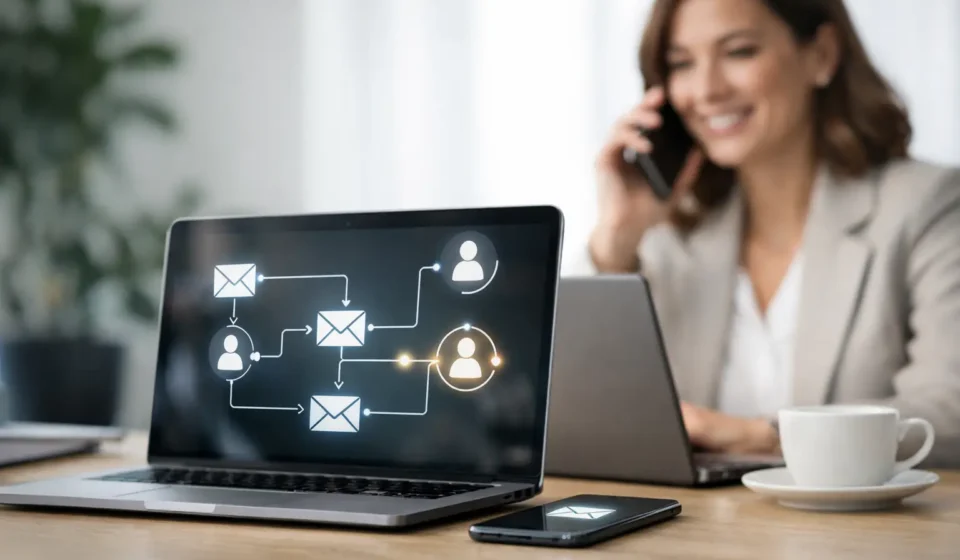
How to Automate Lead Followup Without Losing Trust
A prospective client fills out your contact form at 8:42 p.m. By morning, they have already called another provider. That is the costly gap how to automate lead followup is designed to close. For local service businesses, speed matters, but so does sounding like a real business that is ready to help. The goal is not to replace personal conversations. It is to make sure every inquiry gets a timely, useful response until your team can take over.
A well-built follow-up system can confirm receipt, answer common questions, invite the lead to schedule, and notify the right person on your team. Instead of relying on sticky notes, inbox searches, and memory, you create a process that runs consistently whether you are serving clients, driving between appointments, or off for the evening.
Why fast follow-up changes the quality of your leads
Most leads are not ready to wait. Someone searching for an acupuncturist, financial advisor, contractor, or local professional is usually comparing options in real time. If they do not receive a response, uncertainty quickly turns into a booking elsewhere.
Fast does not mean sending a generic sales message every hour. It means acknowledging the inquiry immediately and giving the person a clear next step. A brief confirmation text or email can set the right expectation: their request was received, someone will be in touch, and here is how to book sooner if they are ready.
Automation also protects your business from inconsistent internal habits. Even strong teams get busy. Calls come in during client meetings. Form notifications land in spam. A team member assumes someone else replied. An automated workflow gives every lead the same reliable starting point, then creates visibility for the human follow-up that should happen next.
How to automate lead followup with a simple system
The best automation is built around your actual sales process, not a complicated template borrowed from a business that works differently. Start by mapping what happens from the moment a prospect submits a form, calls, messages your business, or requests an appointment.
For most appointment-driven local businesses, the system needs four connected parts: lead capture, immediate response, reminders, and a clear handoff to a person. Your website, landing page, online scheduler, CRM, email, and SMS tools should share information rather than operate as separate islands.
Start with one clear lead destination
Every new inquiry should enter one central CRM or lead pipeline. That includes website forms, paid campaign forms, social media messages when possible, phone call records, and booking requests. If leads live in several inboxes and spreadsheets, follow-up becomes hard to track before automation even begins.
Create simple pipeline stages that reflect how your business actually sells. For example, a lead may move from New Inquiry to Contacted, Appointment Booked, Proposal Sent, Won, or Not a Fit. These stages show where leads are getting stuck and prevent old opportunities from quietly disappearing.
Keep the form short. Ask only for information you need to respond intelligently, such as name, phone number, email, service needed, and preferred timing. A long questionnaire may qualify leads more deeply, but it can also reduce submissions. For high-value services, you can collect more detail after the initial conversation.
Send an immediate, helpful first message
The first automated message should go out within minutes. It should confirm the action the person took and tell them what comes next. If someone requested an estimate, do not send a vague message that says, “We will contact you soon.” Tell them when they can expect a response and offer a direct scheduling option if appropriate.
For example, a wellness practice might send an email confirming the inquiry, followed by a text that says the team received the request and provides a scheduling link. A financial professional may prefer a confirmation email with a short explanation of the consultation process and a calendar invitation. The right channel depends on your audience and the nature of the service.
Text messages are often seen faster, but they should be used carefully. Get proper consent, identify your business clearly, and keep messages concise. Email gives you more room for details, testimonials, service explanations, or answers to common concerns. In many cases, using both channels thoughtfully works better than choosing only one.
Build a sequence, not a single reminder
One confirmation message rarely produces the best result. People get distracted, compare providers, or intend to book later and forget. A short follow-up sequence keeps the conversation moving without becoming intrusive.
A practical sequence may include an immediate confirmation, a follow-up the next business day if no appointment is booked, and a final check-in several days later. Each message should have a reason to exist. It might answer a frequent question, explain how to prepare for an appointment, share availability, or invite the lead to reply with a quick question.
Avoid sending the same “just checking in” message repeatedly. If your follow-up feels automated, prospects will treat it like marketing noise. Use plain language, reference the service they asked about when possible, and make the next action easy. One clear call to action is enough: schedule, reply, call, or request an estimate.
Set rules for when a person should step in
Automation works best when it supports human attention instead of pretending to be human. Your CRM should alert a team member when a lead replies, requests urgent service, reaches a high-value pipeline stage, or has not been contacted personally within a set timeframe.
This is especially important for services that depend on trust. A prospective patient may have a sensitive question. A client seeking financial guidance may need reassurance before booking. A homeowner with an urgent repair issue may need a live answer right away. Build escalation rules so these conversations are not buried inside an automated sequence.
Assign ownership as well. Every active lead should have a specific person responsible for the next step. An alert without an owner often becomes another notification that everyone sees and no one handles.
Use automation to make booking easier
The highest-performing follow-up systems remove friction. If a lead must exchange several emails to find a time, many will not finish the process. Online scheduling lets qualified prospects choose an available slot immediately, while appointment reminders reduce no-shows after the booking is made.
That does not mean every business should offer an open calendar to every inquiry. If you need to screen leads before a consultation, automate a short qualification form or a brief discovery call request instead. The principle is the same: make the next step obvious and easy to complete.
Once someone books, switch them out of the prospecting sequence. Replace it with appointment confirmation, reminders, directions or preparation details, and a simple rescheduling option. Nothing damages trust faster than continuing to send “Book now” messages to someone who already booked.
Measure the follow-up points that affect revenue
You do not need a complex dashboard to improve your system. Review a few numbers each month: how quickly new leads receive a first response, how many reply, how many book, how many show up, and how many become customers.
Look at results by source, too. Leads from local search, referrals, social media, and paid ads may respond differently. If one source produces many inquiries but few conversations, the issue may be targeting or the initial message. If people reply but do not book, your scheduling flow or offer may need attention.
Test one change at a time. You might adjust the first text message, shorten a form, add a scheduling option, or change the timing of the second follow-up. Small improvements compound when they apply to every lead that enters your business.
Common mistakes that make automation feel impersonal
The biggest mistake is automating before you clarify the customer journey. A sequence cannot fix a confusing offer, a slow website, or a team with no plan for answering replies. Build the process first, then automate the repeatable steps.
Another common problem is over-messaging. More messages do not automatically mean more conversions. For a high-consideration service, a measured email sequence and a personal call may be better than multiple texts. For urgent home services, faster SMS follow-up may be the right choice. It depends on the decision timeline, the customer’s expectations, and the consent you have collected.
Finally, do not let automations run forever. Set stop conditions when someone books, replies, opts out, becomes a customer, or is clearly not a fit. Clean records make your reporting more accurate and your communication more respectful.
Local Build Digital helps businesses connect lead capture, CRM tools, scheduling, and follow-up into one coordinated growth system. The value is not simply sending more messages. It is creating a dependable path from first inquiry to real conversation and booked appointment.
Your next lead should not have to wonder whether anyone saw their request. Start with one thoughtful response, one clear next step, and one reliable handoff. Once that foundation is in place, automation can give your business the consistency to grow without making your customer experience feel less personal.