


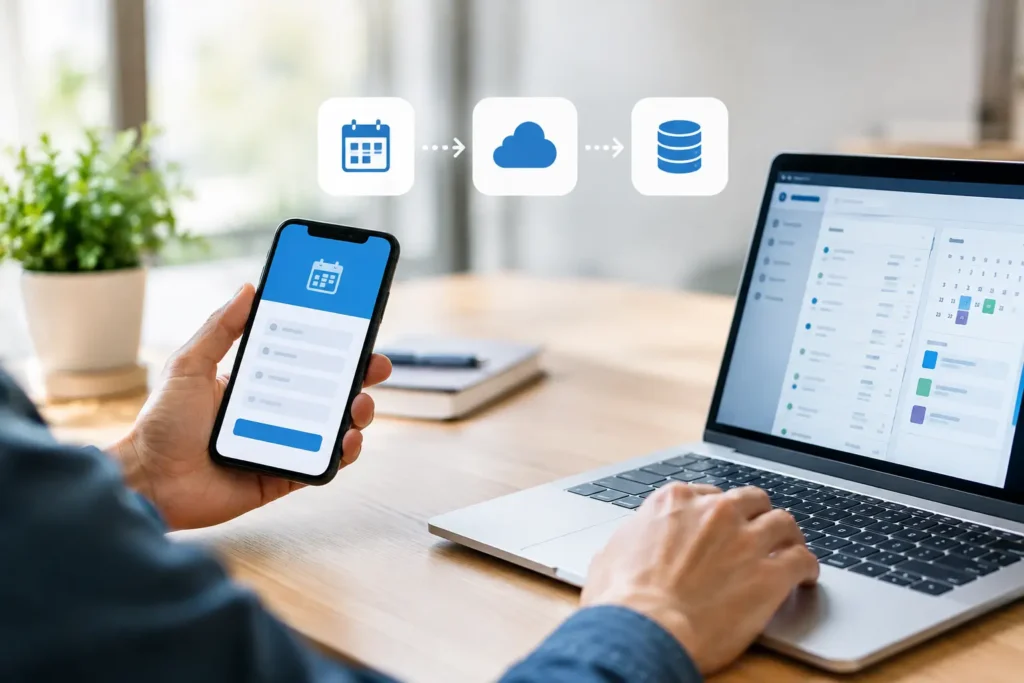
A booking form should do more than collect a name, phone number, and preferred time. When you know how to connect booking forms to the rest of your business system, each appointment can trigger the next right step: a confirmation, a reminder, a follow-up message, and a clear record for your team.
For a local service business, that connection matters. A visitor who finds your website after searching for an acupuncturist, financial advisor, contractor, or wellness provider is ready for an easy next step. If the form is disconnected from your calendar, customer records, or communication tools, the process can quickly turn into missed details, double-booked time slots, and slow responses.
The goal is not to add more software. It is to build one practical path from online inquiry to booked appointment and ongoing customer communication.
Start With the Booking Journey, Not the Software
Before connecting tools, map out what should happen when someone books. Keep it simple: a prospect visits your website, selects a service or appointment type, chooses an available time, receives confirmation, and enters your business follow-up process.
That process looks slightly different by industry. A financial professional may need a short consultation request with qualifying questions before offering a meeting. A massage therapist may let clients book a specific service immediately. A home service provider may use the form to schedule an estimate window rather than a fixed appointment.
The right setup depends on how your team works and what information you need before the appointment. But every booking flow should answer three questions: Is the time truly available? Does the right person receive the booking details? Does the customer get a clear response right away?
If any answer is no, your booking form is collecting leads without fully supporting your operations.
How to Connect Booking Forms Across Your Business
A connected booking system usually has four parts: your website or landing page, your calendar, your CRM, and your follow-up automation. They do not have to be separate platforms, but they need to work together consistently.
Connect the form to a live calendar
Your form should show only appointment times that can actually be booked. This is the first defense against scheduling conflicts and back-and-forth messages.
Connect your scheduling tool to the calendar your team already relies on. For a solo business owner, that may be one work calendar. For a practice or service team, each provider may need separate availability, appointment types, locations, and buffers between meetings.
Build in realistic limits. A 30-minute consultation may require a 15-minute buffer for notes, travel, or preparation. A service appointment may need time for room turnover. Without those settings, online booking can create a schedule that looks full but is difficult to deliver.
Also decide whether clients can reschedule or cancel themselves. Self-service options reduce phone calls and save staff time, but set a cancellation window that protects your calendar. The best policy is one your customers can understand and your team can enforce.
Send every booking to your CRM
A calendar event tells you that time is reserved. A CRM tells you who booked, what they need, how they found you, and what should happen next.
When a person submits a booking form, create or update a contact record automatically. Include the essentials: name, email, mobile number, selected service, appointment date, assigned staff member, and any answers from the form. If your form asks how they heard about your business, save that too. Over time, that information helps you see whether local SEO, paid ads, referrals, or social media are bringing in real appointments.
Use tags or pipeline stages to separate booking types. For example, a new consultation may enter a “New Appointment” stage, while a returning customer booking a regular service can be marked differently. This keeps the team focused on the right follow-up instead of sorting through a general inbox.
Avoid making forms too long just because your CRM can store more data. Every extra required field adds friction. Ask for what you need to confirm the appointment and prepare for it. You can collect additional details later through an intake form or follow-up message.
Automate confirmations and reminders
The moment a customer books is when confidence is highest. Send a confirmation immediately by email, text message, or both. The message should state the appointment date, time, location or meeting instructions, and a simple way to reschedule if needed.
Reminders reduce no-shows, especially for consultations booked weeks in advance. Many local businesses benefit from a reminder 24 hours before the appointment and another on the day of the appointment. The right timing depends on your service. A contractor estimate may need a reminder earlier because a homeowner has to plan to be present. A virtual consultation may benefit from a message that includes joining instructions shortly before the meeting.
Keep automated messages useful and human. Do not send a string of generic notifications that feels excessive. A confirmation, a well-timed reminder, and clear preparation instructions are usually enough.
Notify the right team member
Customers expect a response even when the appointment is automated. Your internal notification should tell the assigned team member what was booked, who booked it, and whether the lead shared any relevant notes.
For small teams, this may be an email or mobile alert. For larger operations, it can be a task assigned within the CRM. The key is accountability. Someone should own the appointment before the customer arrives or joins the call.
If a booking needs approval, create a process for that too. An “appointment request received” message is different from a confirmed appointment. Be direct with customers about which one they have received so expectations stay clear.
Put Booking Forms Where Intent Is Highest
A booking form buried on a contact page will not perform as well as one placed near the service information that creates interest. Give prospects a direct way to book from key website pages, service pages, local landing pages, and relevant campaigns.
For example, a visitor reading about acupuncture for pain relief should be able to request a consultation without hunting through the navigation. A prospective client reviewing retirement planning services should see a clear path to schedule an introductory conversation.
Make the call to action specific. “Book a consultation,” “Schedule an estimate,” or “Choose your appointment time” tells people what happens next. “Submit” does not.
Mobile experience deserves special attention. Many local searches happen from a phone between errands, at lunch, or after work. Test the form yourself on a mobile device. Check that fields are easy to complete, appointment options are easy to choose, and confirmation messages arrive promptly.
Test the Full Process Before You Promote It
A booking form is not finished when it appears on the page. It is finished when the entire process works from a customer’s perspective and your team’s perspective.
Create a test booking and follow it through. Confirm that the time blocks correctly on the calendar, the customer record appears in the CRM, the confirmation is accurate, reminders are scheduled, and the assigned person receives notification. Test rescheduling and cancellation as well.
Review the wording on every message. Look for time zone confusion, missing addresses, outdated staff names, and vague instructions. If you offer virtual meetings, verify that the meeting link is included. If clients visit a physical location, include practical details such as parking instructions only when they genuinely help.
It is also smart to check your reporting. You should be able to see how many bookings came in, which services are requested most often, how many appointments were completed, and where no-shows occur. A connected system turns booking data into decisions about staffing, marketing, and customer follow-up.
Know When Simple Is Better
Not every business needs a complicated booking workflow on day one. If you have one provider, one location, and one consultation type, a clean form connected to a calendar, CRM, and basic reminders may be exactly right.
Complexity becomes useful when it solves a real operational problem. Multiple staff members, multiple locations, different service durations, deposits, intake requirements, and lead qualification can all justify more advanced logic. Add those features as your business needs them, not because they are available.
Local Build Digital helps businesses bring websites, scheduling, CRM records, and follow-up automation into one coordinated system. That approach reduces the manual work that often happens when booking tools, email inboxes, and customer records live in separate places.
A well-connected booking form gives customers an easy way to take action while giving your team a reliable process behind the scenes. Build it around the experience you want people to have after they say yes to meeting with you, then let the system carry the routine details forward.