


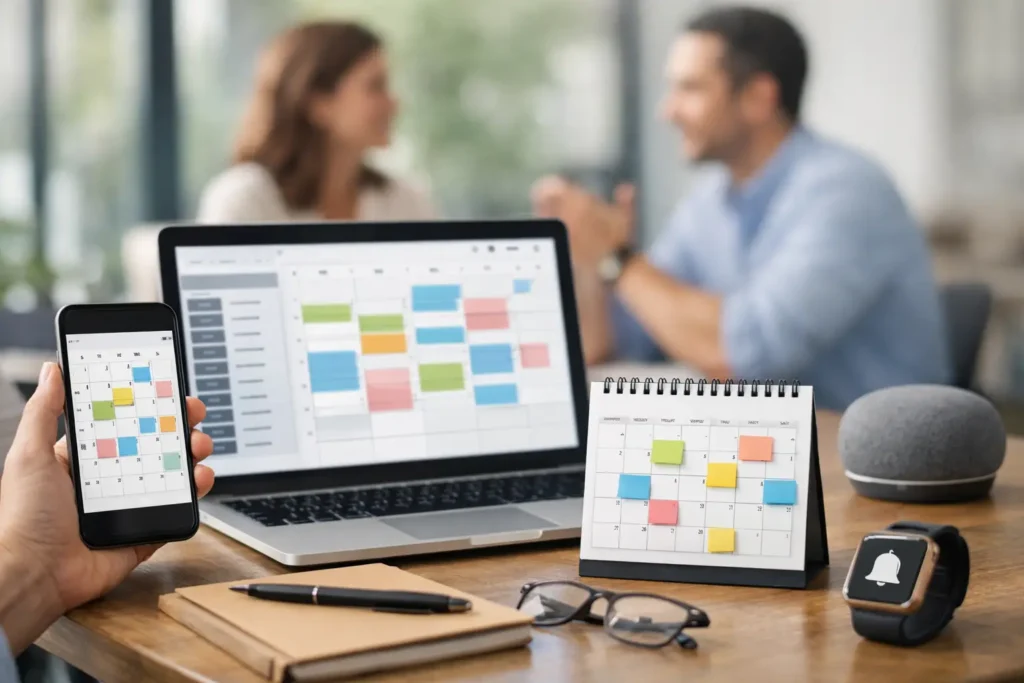
A missed appointment is more than an empty slot on the calendar. For a local business, it can mean lost revenue, wasted staff time, and a customer who may never rebook. The best appointment reminder systems help prevent that gap by sending the right message at the right time, while making it easy for customers to confirm, reschedule, or ask a question.
For service businesses, the best choice is not always the platform with the longest feature list. It is the one that fits how you already book appointments, keeps customer information organized, and reduces manual follow-up without adding another complicated tool for your team to manage.
What makes an appointment reminder system worth using?
A basic reminder sends a text the day before an appointment. A useful business system does more. It confirms the booking, gives the customer a simple rescheduling option, alerts your staff when someone cancels, and keeps the communication history attached to the customer record.
SMS should be a priority for most local businesses because it is fast and hard to miss. Email still matters for longer instructions, intake forms, directions, and appointment details. The strongest setups use both channels based on the type of appointment and how much preparation the customer needs.
Before choosing a platform, look closely at four areas: automated SMS and email reminders, two-way messaging, calendar and CRM integration, and reporting on confirmations, cancellations, and no-shows. If a system cannot connect to your lead and customer records, your team may end up copying information between tools. That creates the same follow-up problem you were trying to solve.
10 best appointment reminder systems for local businesses
1. GoHighLevel
GoHighLevel is a strong fit for businesses that want reminders to be part of a larger sales and follow-up system. It combines calendars, SMS and email automation, pipelines, contact records, forms, and workflow automation in one platform.
This is especially useful for a financial professional, consultant, home service company, or wellness practice that needs to follow up before and after the appointment. For example, a new lead can book a consultation, receive confirmation texts, get a reminder sequence, and enter a post-appointment nurture campaign automatically.
The trade-off is setup. GoHighLevel is flexible, but it works best when its workflows, tags, calendars, and messages are configured around the business process. It is less of a plug-and-play scheduling app and more of a growth system.
2. Square Appointments
Square Appointments is a practical option for solo providers and small service teams that already use Square for payments. Scheduling, staff calendars, payment collection, and customer reminders live in the same environment, which reduces day-to-day friction.
It works well for salons, wellness providers, personal trainers, and other businesses that take payment at the appointment. Automated confirmations and reminders are straightforward, and the customer experience is familiar.
Square is less ideal for businesses with complex lead pipelines or a heavy need for multi-step marketing automation. It handles appointment operations well, but may need to sit alongside a separate CRM as the business grows.
3. Acuity Scheduling
Acuity Scheduling is built for businesses that need clients to select services, complete intake details, and book based on availability rules. It is a popular choice for coaches, consultants, wellness professionals, and appointment-based practices.
Its strength is the booking flow. You can create different appointment types, add forms, set buffers between sessions, and send automatic notifications. That can reduce back-and-forth before the calendar ever fills up.
Acuity is a good scheduling engine, but it may not be enough on its own for businesses that need ongoing text conversations, lead tracking, or advanced sales follow-up.
4. Calendly
Calendly is often the simplest choice for professional services that primarily book consultations, discovery calls, and virtual meetings. It removes the familiar email chain of “What time works for you?” by letting prospects choose from approved times on your calendar.
For advisors, agencies, sales teams, and consultants, that simplicity is the point. Calendly can send confirmations and reminders, support team scheduling, and connect with common video meeting tools.
The limitation is that Calendly is centered on meeting coordination, not full customer management. If the appointment is the beginning of a longer sales process, it should connect to a CRM that can manage the next steps.
5. Vagaro
Vagaro is designed for beauty, fitness, and wellness businesses. It combines online booking, reminders, customer management, payment processing, memberships, and marketing tools in a platform built around recurring client appointments.
That industry focus can be valuable. A med spa, massage practice, salon, or fitness studio often needs more than a calendar. It needs staff scheduling, service menus, packages, and repeat-booking tools.
Businesses outside those categories may find the platform more specialized than necessary. Its best value comes when your operation closely matches the types of businesses it was designed to support.
6. SimplePractice
SimplePractice is a leading option for many behavioral health and wellness practices. It supports appointment reminders alongside client documentation, intake forms, telehealth, billing, and secure client communication.
For therapists and certain healthcare-adjacent providers, keeping appointment communication connected to client administration can save significant time. The platform is built around a practice workflow rather than a general-purpose sales workflow.
Because privacy requirements differ by profession and state, practices should confirm that their chosen plan, policies, and communication settings align with their own compliance obligations. A reminder tool can support good operations, but it does not replace professional compliance guidance.
7. Jobber
Jobber is a strong choice for home service businesses, including cleaning companies, landscapers, electricians, plumbers, and field service teams. Its reminders are part of a broader system for quotes, jobs, dispatching, invoicing, and customer updates.
For a business sending technicians to customer locations, appointment reminders need to do more than protect a time slot. They should help reduce missed access, clarify arrival windows, and keep customers informed when schedules change.
Jobber is less suited to office-based practices that need deep intake forms or consultation-focused sales funnels. It is at its best when the appointment is tied to a field job.
8. Weave
Weave is built around communication for local practices, particularly dental, medical, and other high-call-volume offices. It brings together texting, calling, reminders, reviews, payments, and patient communication tools.
This is a good fit when your front desk is managing a constant flow of confirmations, inbound calls, and follow-up messages. Two-way texting can help staff fill last-minute openings without spending hours on the phone.
The platform can be more than a small office needs, especially if your team only needs a simple booking calendar. Its value rises with call volume and administrative complexity.
9. Solutionreach
Solutionreach focuses on patient communication for healthcare practices, including reminders, recall campaigns, surveys, and review requests. It is designed for organizations where keeping patients engaged between visits matters as much as confirming the next appointment.
For established practices with recurring care schedules, recall automation can be a major advantage. Instead of relying on staff to manually call every overdue patient, the system can prompt patients to return at the right interval.
As with any patient-facing tool, confirm its compatibility with your practice management software and review your communication permissions before launching automated campaigns.
10. Podium
Podium is a useful option for local businesses that want appointment reminders within a broader messaging and reputation management strategy. It supports text-based conversations that can move a prospect from first question to booked appointment.
This can work well for businesses where leads want quick answers before committing, such as auto services, home services, clinics, and local professional offices. A reminder is more effective when the customer already has an easy way to reply.
Podium may be best as a communication layer alongside your scheduling or CRM platform rather than as the only system managing your appointments.
Choose based on your workflow, not just your calendar
The right platform depends on what happens before and after the booking. If you need a simple consultation scheduler, Calendly or Acuity may be enough. If payments and recurring services drive your business, Square Appointments or Vagaro may be more practical. If you operate a field service company, Jobber is built for the realities of dispatching and job management.
Businesses focused on lead conversion and long-term customer follow-up should look for a connected CRM and automation platform. That is where a system like GoHighLevel can make a bigger difference: reminders become one part of a complete process that captures leads, books appointments, follows up after no-shows, and keeps opportunities from going cold.
Build a reminder sequence customers will actually appreciate
The timing and message matter as much as the software. A confirmation should go out immediately after booking. A reminder 24 to 48 hours before the appointment gives customers time to reschedule. A final text a few hours before can be helpful for high-value appointments, but it may feel excessive for a quick recurring service.
Keep messages clear and useful. Include the appointment date and time, business name, location or meeting instructions, and a direct option to confirm or reschedule. Avoid vague messages that force customers to search for details.
Also create a no-show workflow. When someone misses an appointment, send a respectful message shortly afterward with an easy rebooking path. Do not treat every missed appointment as lost business. Often, the customer simply got busy, and a prompt follow-up can recover the booking.
The goal is not to send more texts. It is to create a reliable customer experience that protects your calendar, helps your staff respond faster, and gives every qualified lead a better chance to become a paying customer.