


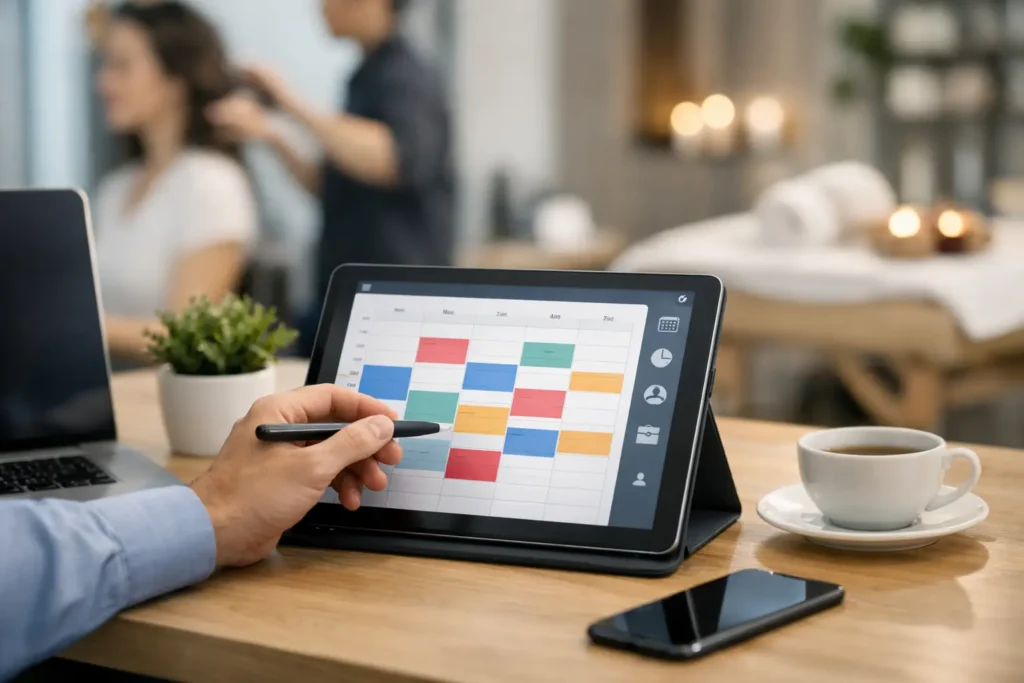
A missed call at 2:17 p.m. should not turn into lost revenue by 2:18. But that happens every day for local businesses. A prospect is ready to book, your team is busy, and by the time someone follows up, they have already scheduled with a competitor. That is why an appointment booking system for local business is no longer a nice extra. It is part of how modern service businesses protect revenue, improve response time, and make booking easy for customers.
For local service providers, practices, and appointment-driven businesses, the issue is not just convenience. It is conversion. If your website, Google Business Profile traffic, social media visitors, and ad clicks are all sending people to a phone number or contact form with no fast booking path, you are adding friction right where it hurts most. The right system removes that friction and keeps your front-end marketing connected to your day-to-day operations.
What an appointment booking system for local business actually does
At a basic level, an online booking system lets customers choose a service, pick a time, and confirm an appointment without back-and-forth messages. But for most growing local businesses, that is only the starting point.
A strong system also handles confirmations, reminders, intake questions, calendar syncing, and follow-up. It can route leads to the right team member, collect useful details before the appointment, and trigger email or SMS communication automatically. Instead of creating more admin work, it reduces it.
That distinction matters. Many business owners think they need a simple calendar widget. What they really need is a booking process that fits into a broader customer journey – from discovery to conversion to retention.
Why local businesses lose bookings without one
Most local businesses do not struggle because demand is missing. They struggle because inquiries leak out of the process.
A customer finds your business after searching for a nearby accountant, acupuncturist, consultant, or home service provider. They land on your site outside business hours, or during a busy part of the day, and they want one thing: a clear next step. If that step is vague, delayed, or manual, your lead quality does not matter nearly as much as your response gap.
An appointment booking system helps close that gap. It turns intent into action while the customer is still engaged. It also helps reduce the common problems that slow growth for local businesses: voicemail tag, forgotten follow-up, double-booking, missed reminders, and staff spending too much time coordinating calendars.
For teams trying to grow, this operational cleanup has a direct marketing payoff. More booked appointments means better return from local SEO, paid traffic, referrals, and social media efforts. You stop paying for attention that never becomes revenue.
The real business benefits go beyond scheduling
The most obvious benefit is convenience, but convenience alone is not the full value. A good booking system improves speed, consistency, and visibility across your entire lead flow.
First, it captures demand when your staff is unavailable. That includes evenings, weekends, lunch breaks, and busy appointment blocks. Many local businesses discover that a meaningful share of bookings comes in outside normal phone-answering hours.
Second, it improves show rates. Automated reminders by text and email reduce no-shows and late cancellations. For businesses with high-value appointments, even a small improvement here can have a noticeable effect on monthly revenue.
Third, it creates cleaner data. When bookings are tied to a CRM or customer database, you can track where appointments came from, who booked, who canceled, and who needs follow-up. That gives you a much better picture of what your marketing is actually producing.
Fourth, it supports a better customer experience. People expect clarity. They want to know what services are available, how long appointments take, what information they need to provide, and when they can get in. A modern booking process answers those questions before confusion starts.
What to look for in an appointment booking system for local business
Not every scheduling tool is built for the needs of local service businesses. Some work fine for solo providers but become clunky when multiple team members, locations, or service categories are involved. Others schedule well but do not connect with your lead management, follow-up, or website experience.
The best fit usually includes online self-scheduling, calendar syncing, automated reminders, intake forms, mobile-friendly booking, and the ability to assign appointments by service or staff member. If you run a business where speed matters, instant confirmations and text notifications are especially useful.
It also helps to think about what happens after the booking. Can the system trigger a confirmation sequence? Can it send review requests later? Can it reconnect with leads who started but did not finish booking? Can it support rescheduling without creating staff headaches? Those details often matter more than flashy interface features.
If your business already uses separate tools for website forms, calendars, email marketing, and customer communication, this is where trade-offs show up. A standalone scheduler may be cheaper upfront, but disconnected tools often create extra admin time and missed follow-up later. For many small and midsize businesses, an integrated setup is more efficient in practice.
How booking systems support local SEO and lead conversion
Business owners often think of scheduling as an operations tool. It is also a conversion tool.
When someone finds your business through local search, they are often close to making a decision. They are comparing trust signals, service fit, and ease of contact. If your site looks credible but makes booking difficult, you still lose the lead.
Adding a clear appointment path can improve the value of your website traffic because it shortens the distance between interest and action. That is especially true for mobile visitors, who are often making fast decisions. A booking page that loads quickly, explains the offer clearly, and shows real availability gives customers confidence to commit.
This is also why booking should not sit apart from your website strategy. Your pages, calls to action, local SEO work, and scheduling flow should all support the same goal. When they are aligned, you get more from every visitor without relying on extra manual follow-up.
Common mistakes when setting up online scheduling
One common mistake is offering too many choices too early. If a prospect has to sort through a confusing menu of services, durations, and staff options, they may abandon the process. Simplicity usually converts better.
Another mistake is failing to set rules around availability. Without buffers, preparation time, and realistic booking windows, online scheduling can create calendar chaos instead of saving time.
Some businesses also forget to customize the communication around the appointment. Generic confirmations are better than none, but they miss an opportunity to set expectations, reduce no-shows, and make the customer feel prepared.
There is also the issue of internal ownership. If nobody is responsible for monitoring the system, updating availability, and reviewing missed opportunities, even good software underperforms. The tool matters, but the process around it matters too.
When simple scheduling is enough, and when you need more
It depends on your business model. A solo professional with one core service may do well with a lightweight system. If appointments are straightforward and follow-up is minimal, complexity can be unnecessary.
But if your business depends on lead nurturing, recurring appointments, multiple service types, or a team-based workflow, basic scheduling often stops being enough. You may need a platform that connects booking with CRM, email and SMS follow-up, website forms, and marketing campaigns.
That is where businesses usually see the difference between buying a tool and building a system. A tool can let people book. A system helps you attract, convert, organize, and retain more of the right customers with less manual effort.
For many local businesses, that integrated approach is what actually creates momentum. It keeps the website from acting as a digital brochure and turns it into an active part of your sales process.
Building a booking experience that helps your business grow
The best appointment setup feels easy for the customer and practical for your team. It reflects your real services, respects your schedule, and supports the follow-up needed to turn first-time appointments into ongoing relationships.
That means thinking beyond the calendar itself. Your booking process should fit your website, your visibility strategy, your communications, and your day-to-day workflow. If those pieces live in different systems that do not talk to each other, growth gets harder than it needs to be.
This is why many businesses work with a partner that understands both marketing and operations. Local Build Digital, for example, approaches scheduling as part of a bigger growth system that connects websites, local SEO, CRM, automation, and lead handling in one place. That matters because more traffic alone does not fix a broken booking path.
The goal is not to add another app to your stack. The goal is to make it easier for local customers to find you, trust you, book with you, and hear from you at the right time. When that happens, your calendar stops depending so heavily on manual follow-up and starts filling with more consistency.
If booking still relies on missed calls, back-and-forth texts, or forms that sit too long, there is a better way to run it – and your next growth step may be simpler than you think.